


Start here
Choose a recording method
you can keep using.
Compare the strengths of paper, spreadsheets, and apps, then choose a method that makes it easy to keep the statistics you want.
Three things to remember
- Start simply with paperFor free-form notes
- Customize a spreadsheetFor adjustable metrics and formulas
- Enter and summarize in an appFor a lasting game-recording habit
 Enlarge the illustration ↗
1. Compare Paper, Spreadsheets, and Apps
| Comparison | Paper or notebook | Excel or spreadsheets | Dedicated app |
|---|---|---|---|
| Ease of entry | ◎ | △~○ | ◎ |
| Flexibility | ◎ | ◎ | ○ |
| Automatic calculation | × | ◎ | ◎ |
| Average placement calculation | Manual calculation | ◎ | ◎ |
| Charts and analysis | × | ◎ | ○~◎ |
| Uma and oka calculation | Manual calculation | ◎ | Excellent if supported |
| Three- and four-player records | ○ | ◎ | Excellent if supported |
| Editing | △ | ◎ | ○~◎ |
| Sharing | △ | ◎ | ○~◎ |
| CSV export | × | ◎ | Depends on the app |
| Backup | Copies required | ◎ | Depends on the app |
| Initial setup | ◎ | △ | ◎ |
| Long-term record keeping | △ | ◎ | ◎ |
Three ways to track mahjong results
There are three main ways to keep mahjong records: paper or a notebook, Excel or Google Sheets, and a dedicated mahjong app. Each suits a different purpose.
Paper is enough if you only need the day's results. A spreadsheet suits custom rules and your own analysis, while a dedicated app is useful for entering results immediately after a game and calculating statistics automatically.
Tracking mahjong results on paper
Paper lets you write things down during a game without a device or internet connection. You can sketch game positions and note lessons in the margins, making it useful for the day's settlement and strategy notes.
Advantages of paper records
- Start writing immediately without setup
- Choose your own fields and format
- Easily record interesting situations with diagrams and notes
- No phone or computer needed
Disadvantages of paper records
- No automatic average placement or balance calculations
- More games mean more work to total and search records
- Corrections, charts, and comparisons between periods are difficult
- Records may be lost or damaged
Paper is a reasonable choice for people who play infrequently, only want daily results or notes on hands, or prefer to avoid digital tools. If you also want long-term statistics, keep your fields consistent so you can transfer the records to a spreadsheet or app later.
Tracking mahjong results in Excel or Google Sheets
A spreadsheet lets you design your own fields, formulas, charts, and filtered summaries. It can accommodate custom uma, bonus chips, and rules used by your group, and suits people who want to manage their own data.
Advantages
- Automatically calculate average placement, first-place rate, last-place rate, and balance
- Create monthly, yearly, and opponent-specific summaries
- Analyze results in detail with pivot tables and charts
- Easily add custom rules and new columns
Disadvantages
- You need to build the table and formulas first
- Formulas and reference ranges can be accidentally broken
- More fields make the sheet more complicated
- Wide tables can be difficult to fill in on a phone
| Item | Excel | Google Sheets |
|---|---|---|
| Computer use | ◎ | ◎ |
| Phone entry | ○ | ○ |
| Autosave | Depends on settings | ◎ |
| Sharing with multiple people | ○ | ◎ |
| Offline use | ◎ | Subject to conditions such as advance setup |
| Advanced analysis | ◎ | ◎ |
Excel suits people who mainly use a computer and want to build detailed analysis. Google Sheets suits groups who want to share and update the same sheet.
Using a dedicated mahjong results app
A dedicated app lets you enter results on your phone and automatically calculate average placement and balance. A consistent entry screen makes it easier to keep recording over the long term.
Advantages
- Enter results immediately after each game
- Automatically calculate average placement, first-place rate, last-place rate, and cumulative score
- Supported apps can also calculate uma, oka, chips, and table fees
- View charts and statistics by period on your phone
Disadvantages
- Supported player counts, rules, and analysis options are limited
- CSV export and backup support vary by app
- Some custom rules may not be fully supported
- Check how to export your data in case the service closes or you change devices
An app suits people who want to do everything on their phone, automate calculations, and make entering results after each game a habit.
Which should you choose: paper, Excel, or a dedicated app?
A dedicated app is a strong choice for convenience, Excel or a spreadsheet for flexibility, and paper for notes during play. Calculating average placement and monthly balances for hundreds of games on paper takes considerable work, so use a spreadsheet or app alongside it for long-term tracking.
| Purpose | Recommended option |
|---|---|
| Record results as simply as possible | Dedicated app |
| Build your own detailed analysis | Excel or spreadsheets |
| Take notes during play | Paper |
| Track average placement over time | Dedicated app or spreadsheet |
| Calculate balances | Supported app or spreadsheet |
| Use custom rules | Spreadsheet |
| Share with friends | Google Sheets or a supported app |
| Combine easy entry with detailed analysis | App + CSV + spreadsheet |
Using an app as the main record and Excel for analysis can be convenient. Decide where corrections should be made so that the same game's figures do not differ between the two.
2. Choose what to record
The minimum fields to record for mahjong
You do not need to enter every rule each time just to track long-term results. Start with a small set of essential fields and add more as needed.
| Essential field | Why record it |
|---|---|
| Date | To summarize results by period |
| Four-player / three-player | To separate results by player count |
| East-only / hanchan | To separate game formats |
| Placement | To calculate average placement |
| Score | To track average and cumulative points |
To calculate financial balances, also record final table points, return points, uma, oka, the conversion rate, chips, table fees, and rounding rules. Opponents, venue, and rule-set names help with detailed analysis. First-place rate and average placement can be calculated automatically from placements, so they do not need to be entered manually for every game.
To review your decisions, link replays, push-or-fold notes, and final-hand placement calculations to each game's result.
Additional fields for tracking balances
To recalculate balances later, keep the conditions used in the calculation as well as the final amount.
- Final table score
- Return points
- Uma
- Oka
- Final game points
- Conversion rate or conversion unit
- Number of chips and value per chip
- Table fee
- Final balance
Also record rules that affect the result, such as rounding and tied placements. Keep game points separate, rather than comparing only money amounts from games played at different rates or under different rules.
Always keep four-player and three-player results separate
The mathematical average-placement baseline is 2.50 for four-player mahjong and 2.00 for three-player mahjong. The possible placements differ, so combining them produces an unhelpful average. First-place and last-place rates also do not represent the same difficulty with four players and three.
Rules for uma, oka, North extraction, tsumo loss, and chips can also differ. Make four-player or three-player a required field in your app or sheet so you can filter the statistics. See mahjong average-placement benchmarks for more detail.
Keep East-only and hanchan games separate where possible
East-only and hanchan games differ in length and number of hands. Even over 100 games, the actual number of hands and dealer turns differs, affecting the variability of results.
Save the format in its own column so you can filter average placement and balances and compare like with like. Even if you normally play only one format, recording it will help if your games become mixed later.
Try it in MemoJong: Record your first game in MemoJong →
3. Read your statistics
Average placement is essential for tracking mahjong results
Average placement is the sum of your final placements divided by the number of games. The theoretical baseline is 2.50 in four-player mahjong and 2.00 in three-player mahjong. A lower number means you have finished nearer the top more often.
Average placement alone does not tell you whether your results favor winning or avoiding last place. Read it alongside game count, first-place rate, top-two rate, last-place rate, average score, and cumulative score.
| Metric | What it tells you |
|---|---|
| Average placement | Overall placement performance |
| First-place rate | Proportion of first-place finishes |
| Top-two rate | Proportion of first- and second-place finishes |
| Last-place rate | Proportion of last-place finishes |
| Average score | Points per game |
| Cumulative score | Total points over the period |
| Number of games | Context for interpreting the figures |
Mahjong statistics to track alongside average placement
First-, second-, and third-place rates, fourth-place rate in four-player games, third-place rate in three-player games, and top-two rate show the placement distribution behind your average. Average and cumulative scores measure overall results including raw points and placement bonuses.
Actual balance, game count, and monthly and yearly results also help you track changes over time. Ideally, calculate these metrics automatically from placements and scores using consistent formulas.
Track average placement and balance separately
Even with a good average placement, your balance may be poor because your first-place point margins are small, your losses in last place are large, or chips and table fees put you in the red. Conversely, an ordinary average placement can still produce a profit through high-scoring wins and bonus chips.
| Metric | What it mainly measures |
|---|---|
| Average placement | Consistency of placements |
| First-place rate | Proportion of first-place finishes |
| Last-place rate | Proportion of last-place finishes |
| Score | Results including table points and placement bonuses |
| Balance | Profit or loss including the conversion rate, chips, and table fees |
Keep playing strength and money won as separate fields or statistics. See mahjong balance calculations for the settlement process.
Look at monthly and yearly results too
Cumulative results alone do not reveal recent form or changes in your play. Comparing monthly average placement, monthly balance, and yearly average placement helps distinguish short-term runs from long-term trends.
| Metric | Cumulative | Monthly | Yearly |
|---|---|---|---|
| Number of games | ○ | ○ | ○ |
| Average placement | ○ | ○ | ○ |
| First-place rate | ○ | ○ | ○ |
| Last-place rate | ○ | ○ | ○ |
| Score | ○ | ○ | ○ |
| Balance | ○ | ○ | ○ |
Monthly results fluctuate more when you play few games, so they cannot be judged by the same standard as cumulative results. Use them to compare with your past performance and identify areas to work on.
Why record results by opponent?
Recording opponents lets you check whom you played, how often you played them, each player's placements and scores, and settlement history for private games. This is especially useful if you usually play with the same group.
Use consistent player names: different spellings such as “Yamada” and “yamada” may be counted as different people. Shared images and CSV files may contain personal names, so respect the players' consent and privacy.
4. Check the app’s data entry, editing, and backup features
What to check when choosing a mahjong results app
Do more than compare app names and prices. Enter one typical game to check the features you need.
- Does it support both four-player and three-player mahjong?
- Can it separate East-only and hanchan games?
- Can you set starting points, return points, uma, and oka?
- Can you record the conversion rate, chips, and table fees?
- Can you edit players and points after saving?
- Can you view average placement, first-place rate, last-place rate, and top-two rate?
- Can you summarize results by month, year, and opponent?
- Can you export data in CSV or another format?
- Are there instructions for backup, restoration, and device migration?
| Check | Importance |
|---|---|
| Player count and game format | ★★★ |
| Uma and oka settings | ★★★ |
| Editing after saving | ★★★ |
| Average placement and placement rates | ★★★ |
| Backup and device migration | ★★★ |
| Chips and table fees | ★★★ if needed |
| CSV export | ★★☆ |
| Charts | ★★☆ |
| Image sharing | ★☆☆ |
Is a free mahjong results app enough?
Yes, if it supports your usual rules, record editing, data export, and backup. Alongside the price, check which of the features you need are available for free.
CSV export, backup, and device migration are different
These three features serve different purposes. Supporting one does not necessarily mean the other two are available.
| Feature | Main purpose | What to check |
|---|---|---|
| CSV export | Spreadsheet analysis and external storage | Exported columns, date range, and whether re-import is supported |
| Backup | Restore records within the app | Save location, included data, and restoration procedure |
| Device migration | Move to a new device | Operating system, account, and official instructions |
CSV files generally do not include app-specific settings, screen state, or formulas. If the app cannot import CSV, you cannot restore the original state from a CSV file. For long-term data storage, check CSV export for analysis and backup for restoration separately.
Check backup support when choosing a mahjong results app
A broken or lost device could cost you years of records. Check whether data is stored only on the device, can sync to the cloud, or can be saved manually as a backup file.
The ability to create a backup is not enough by itself. Use sample data to check where it is saved and, if possible, actually test restoring it. Check device migration instructions and supported operating systems before you need to move.
Test a dedicated app by entering one real game
Enter a sample game using your usual three- or four-player rules to see how the app works in practice.
- Set the player count, East-only or hanchan format, starting points, and return points
- Enter final table points and placements
- Set uma and oka
- Enter the conversion rate, chips, and table fees if needed
- Compare the result with a manual calculation
- Edit the points after saving and check that the statistics update
- Export a CSV and check the columns you need
- Create a backup and check how to restore it
Easy entry alone is not enough for long-term use if the app cannot represent your usual rules, requires recreating a game for every correction, or offers no way to export your data.
5. Record one game in MemoJong
What results can you track in MemoJong?
MemoJong keeps three-player and four-player mahjong separate and lets you record results with starting points, return points, uma, oka, conversion rates, chips, and table fees. You can edit saved games and view average placement and other statistics by period.
You can export and share statistics as CSV, and create a separate backup for restoration. If you want to enter results, calculate totals, view statistics, and export data entirely on your phone, try one game using your normal rules.
Check features on your actual device
Screens and availability may vary by operating system and app version. Back up important data and check the restoration procedure in advance.
Common mistakes when recording mahjong results
- Adding too many fields at the start: Entry becomes a chore and the recording habit breaks.
- Combining four-player and three-player statistics: Different average-placement baselines become mixed, obscuring the actual trend.
- Not separating East-only and hanchan games: You end up comparing games played under different conditions.
- Combining games with different rules: Scores and balances no longer have the same meaning.
- Registering the same opponent under different names: Their results become split across multiple records.
- Assuming a metric's meaning from its name: A label such as “win rate” may use a different formula than you expect.
- Being unable to edit saved results: Entry errors remain in the statistics.
- Not checking storage and backup: You risk losing data if a device fails or you change devices.
- Treating CSV as a complete backup: It may not be possible to restore it into the original app.
Sources used for this comparison
- Microsoft Support: “Import or export text (.txt or .csv) files”: CSV import/export and format differences in Excel
- Google Docs Editors Help: spreadsheet sharing and conditions for offline use
- MemoJong on the App Store: descriptions of game results, balances, statistics, sharing, and backup
- MemoJong on Google Play: supported devices and listed features
- Takuya Ogami et al., “Skill Estimation in Mahjong Using Variance Reduction”: uncertainty in game results and average placement
Sources checked: August 27, 2026.
Related guides
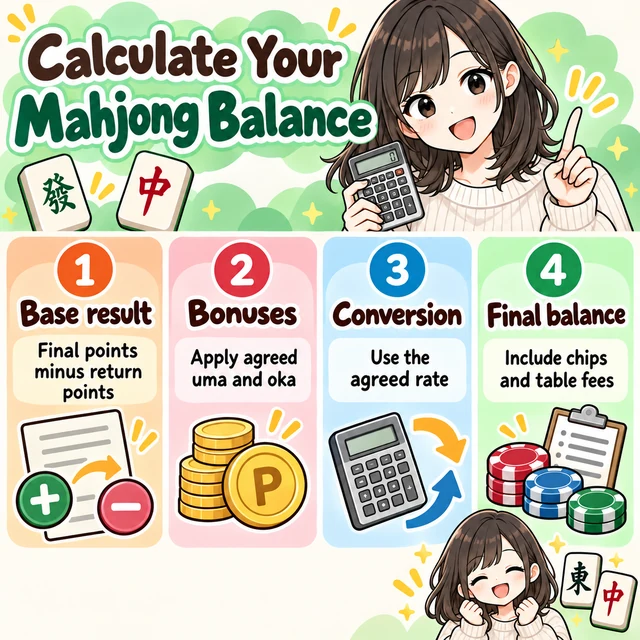 Calculating Mahjong Net ResultsCalculate everything from uma and oka to table fees in order
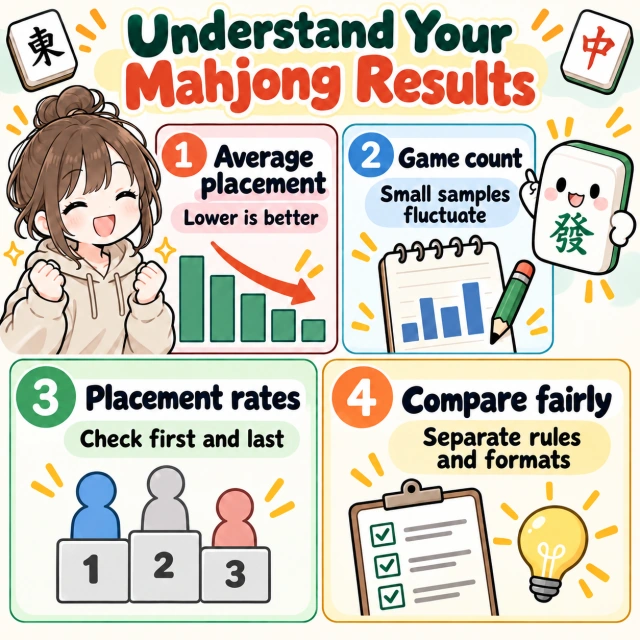 Understanding average placement in mahjongFour- and three-player baselines and how to interpret game counts
 Tracking balances in three-player mahjongFields to record separately from four-player games
 Mahjong House Rules TemplateAgree on starting points, uma, and oka before playing
 A complete guide to mahjong push-or-fold decisionsRecord difficult decisions and review them later